•
Travel Journal
Blog Posts
•
•
•
•
•
Travel Journal
Pin Traveler Blog
What's new in our April update!

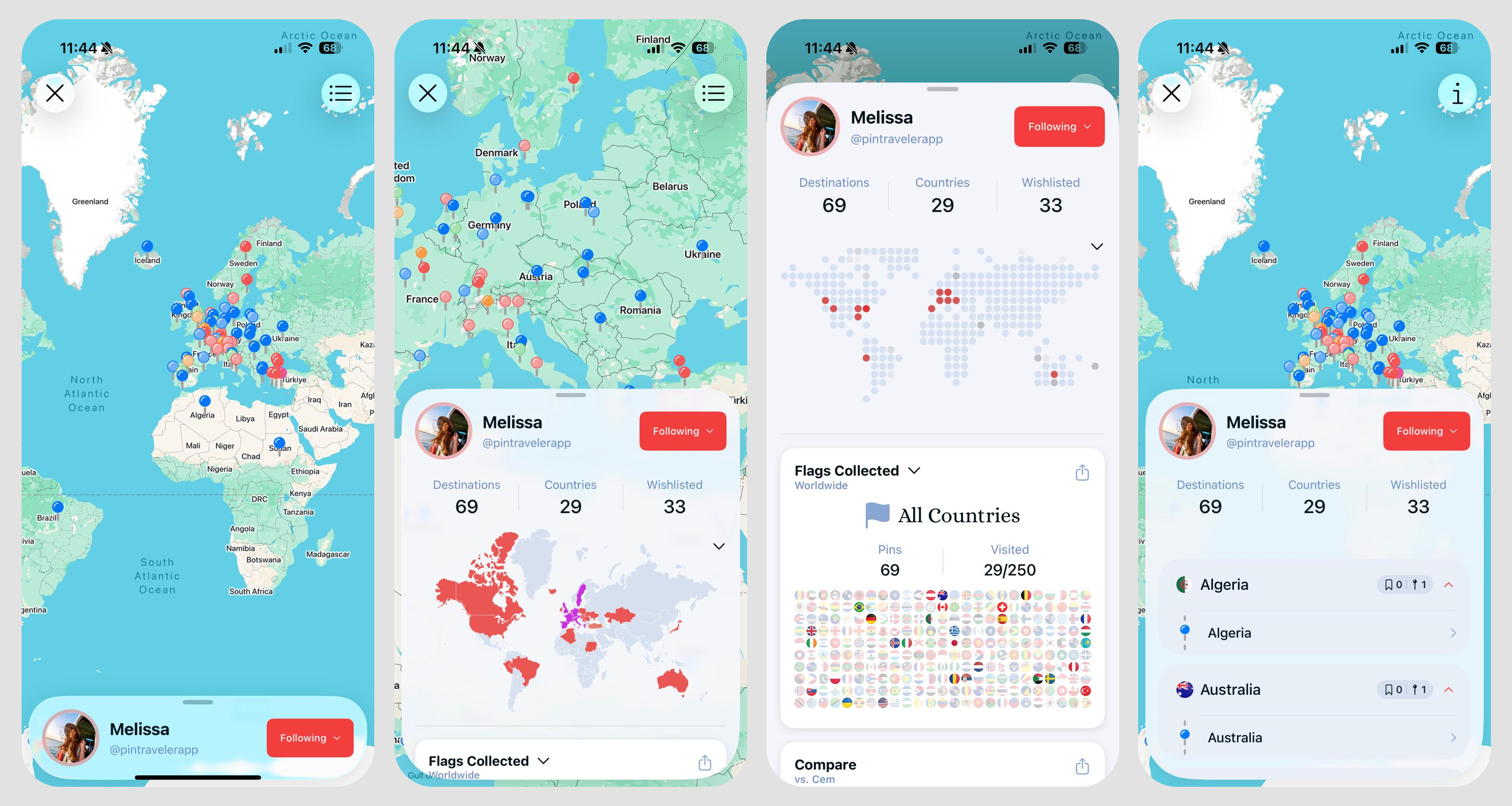
Since we first built Pin Traveler, sharing has been a core component of the app. Mehmet and I (Cem) have been following each other on Pin Traveler since almsot day 1! In the meantime, we are rather private people, and we really value our online privacy and that of our users. With these values in mind, we recently released our Sharing & Privacy update in April 2026.
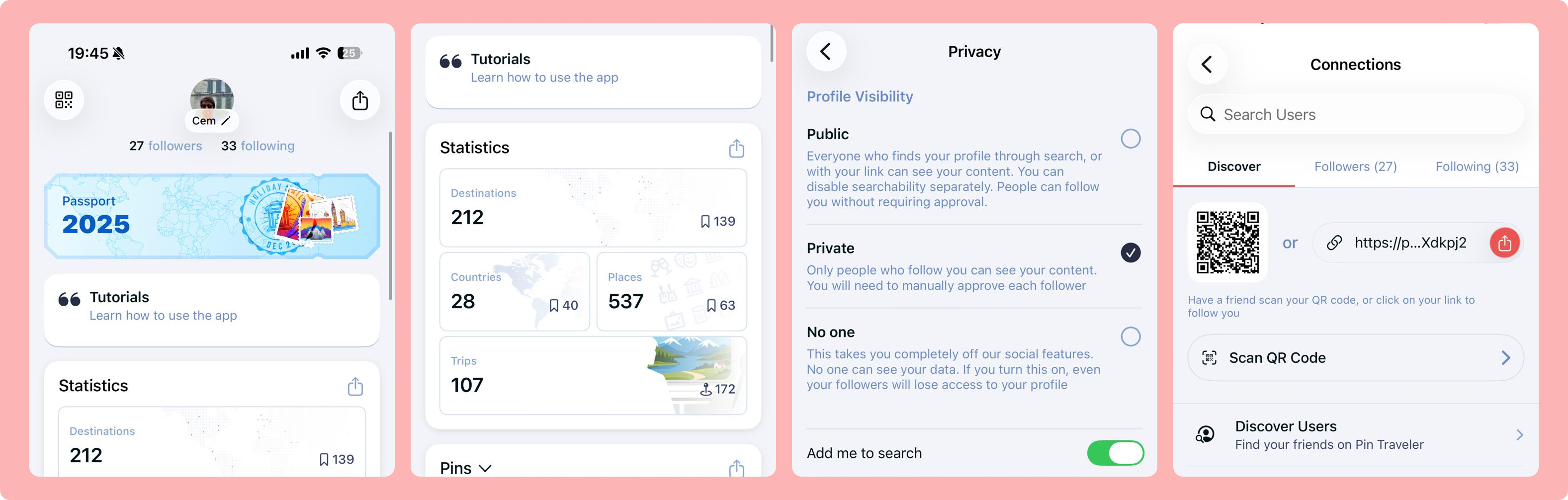
The major new feature in this update is a completely new "Connections" page that you can use to quickly find and follow your friends on Pin Traveler. Here is what's new here:
As we make users more discoverable, and the connections stronger, it's important that you are in control of your data and who can see it. With this, we've moved away from a simple "on/off" toggle for sharing mode, to a much more granular awy of privacy controls.
You have three layers of profile visibility to choose from.
Right now, this setting applies globally to your account, but we're working on making this even more granular, allowing you to who can see your trips (and when), who can see your photos (and which ones), etc.
Follow requests are a new concept to Pin Traveler (although I'm sure you're familiar with at least one app that has had them). Basically if your profile is "private", you can still have followers. But they will need to request to follow you, and you need to accept their request. This is also the main difference between public/private accounts.
As I mentioned above, you can search through the millions of Pin Traveler users now to find your friends and follow them. That's great! But what if you want to be not so easily found? You can turn this toggle off, and you will disappear from our search.
How is this different than a private or "no one" profile?
This setting hides you from search, you can still share your profile with a link or a QR code, and users will be able to view & follow you all the same. If your profile is public, anyone with the link can see all your data. If it's private, they'll see your username and can request to follow you. For "no one" profiles, we don't allow setting the visible-in-search toggle to on, because that doesn't make much sense!
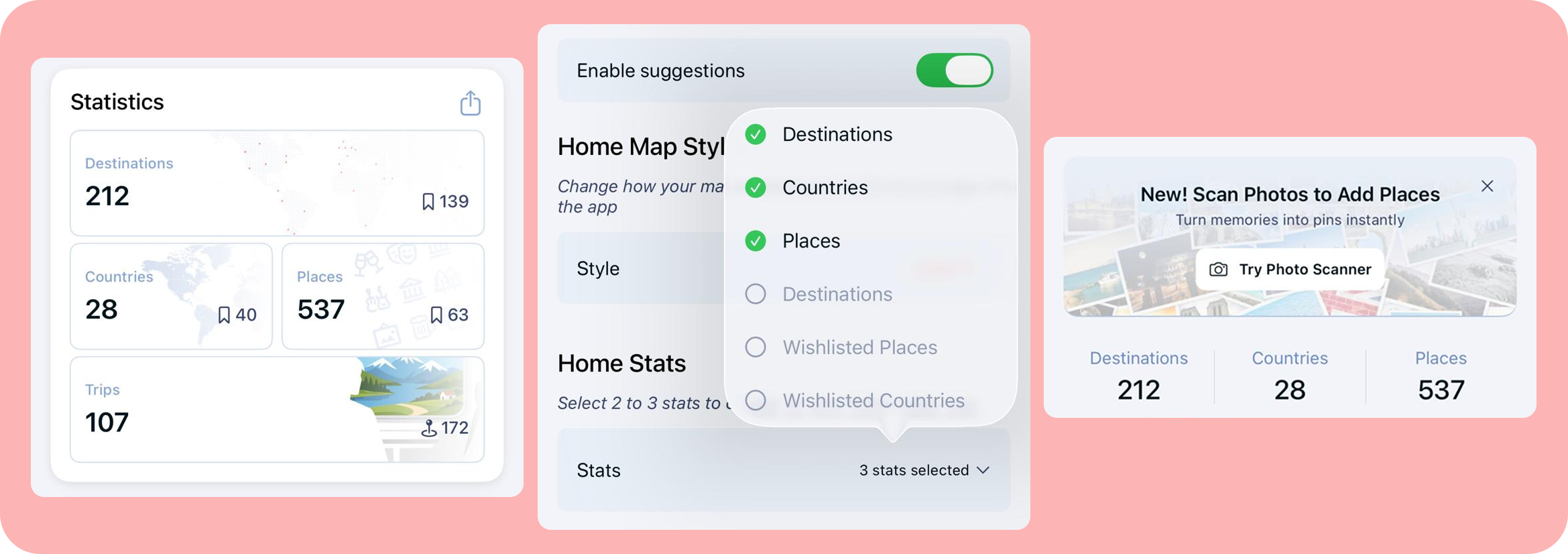
We rolled in a couple "bonus" features with this update too. One of them was a request by a long-term user, to customize the stats on the home page to show places visited, instead of destinations wishlisted. You can now choose which stats to display here (from the customize home page).
We also did a small redesign to the Profile tab for easier use, and quicker access to your followers/connections. We also added a new "Stats" card that gives you an overview of your Pin Traveler stats.
As always, there's also some quick bugfixes and performance improvements in this update, but I won't bore you with the details!
I know a lot of people have been asking for more social features, and I promise we are building them. But before becoming a more tightly-connected community, we thought it important to get the user discoverability, and privacy controls right. I think we made good moves towards that goal, but I'd love to hear your thoughts on this update. What do you think about the new sharing/connection pages? Do you like what we have done with the Privacy Settings? What else would you like to see here?
Reach out to us at hello@pintraveler.net, or on Instagram as @PinTravelerApp. We often chat with our users live!
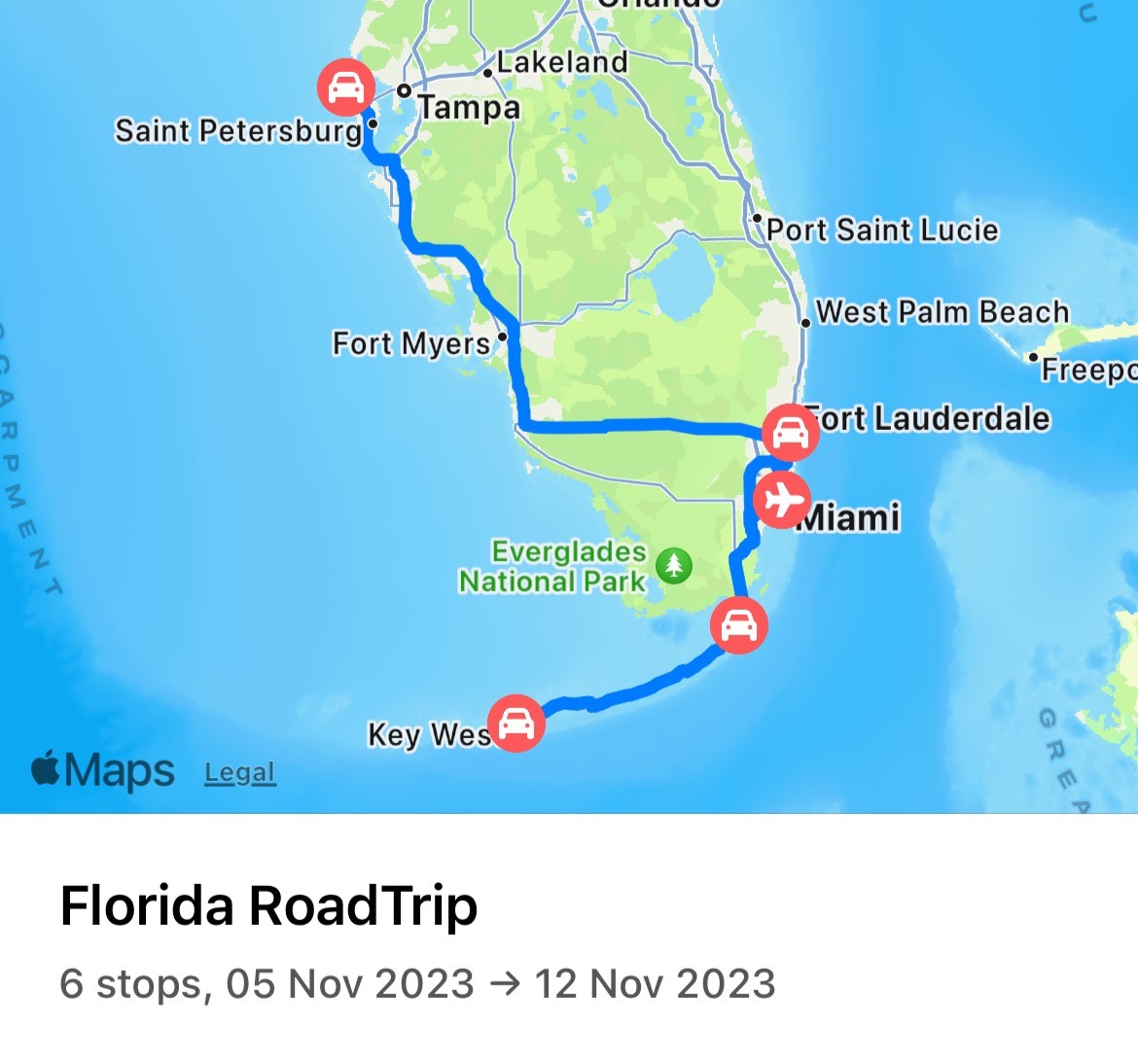
We just released a major iOS update (version 3.11.0) on February 10 2024. This is a big update for us, we are introducing new visualizations for your trips, and a new pin type for the first time ever! We've also laid the groundwork for a lot of great things to come later in 2024. Here's the overview:
2024-02-11
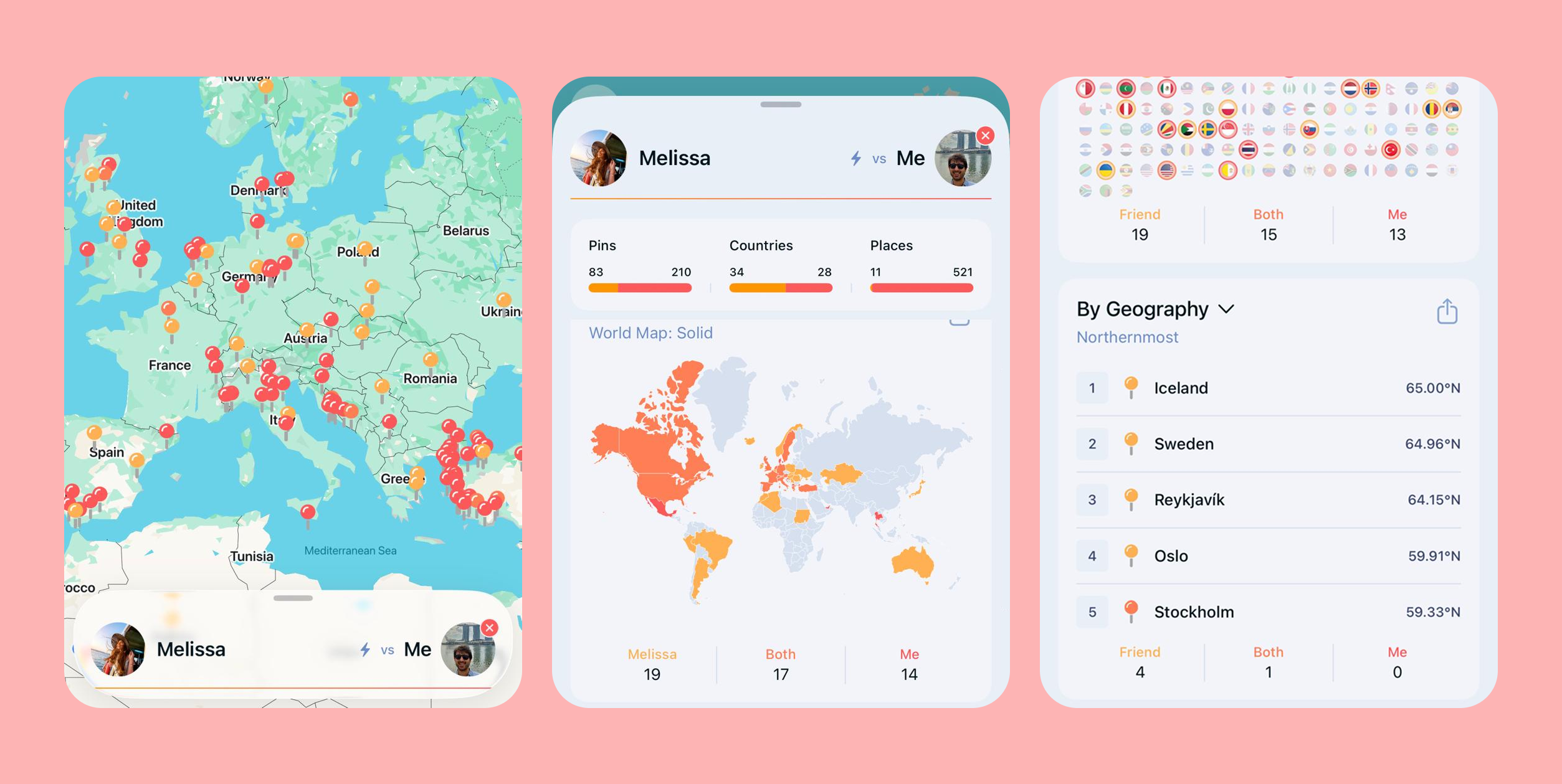
Full screen pages, liquid glass, a brand new profile page, and more await you!
2026-03-08
We've modernized the sharing UI, and allowed you to share your profile in addition to your map
2025-09-18