•
Travel Journal
Blog Posts
•
•
•
•
•
Travel Journal
Pin Traveler Blog

Planning your travels in 2026 means having the right tools at your fingertips. With so many travel map apps available, finding the one that fits your style can be overwhelming. Whether you're a digital nomad, a weekend traveler, or someone planning their dream trip, the right travel map app can transform how you explore and remember the world.
Here's a comprehensive look at the best travel map apps in 2026 and what makes each one stand out:
Before diving into specific apps, let's consider what features matter most:
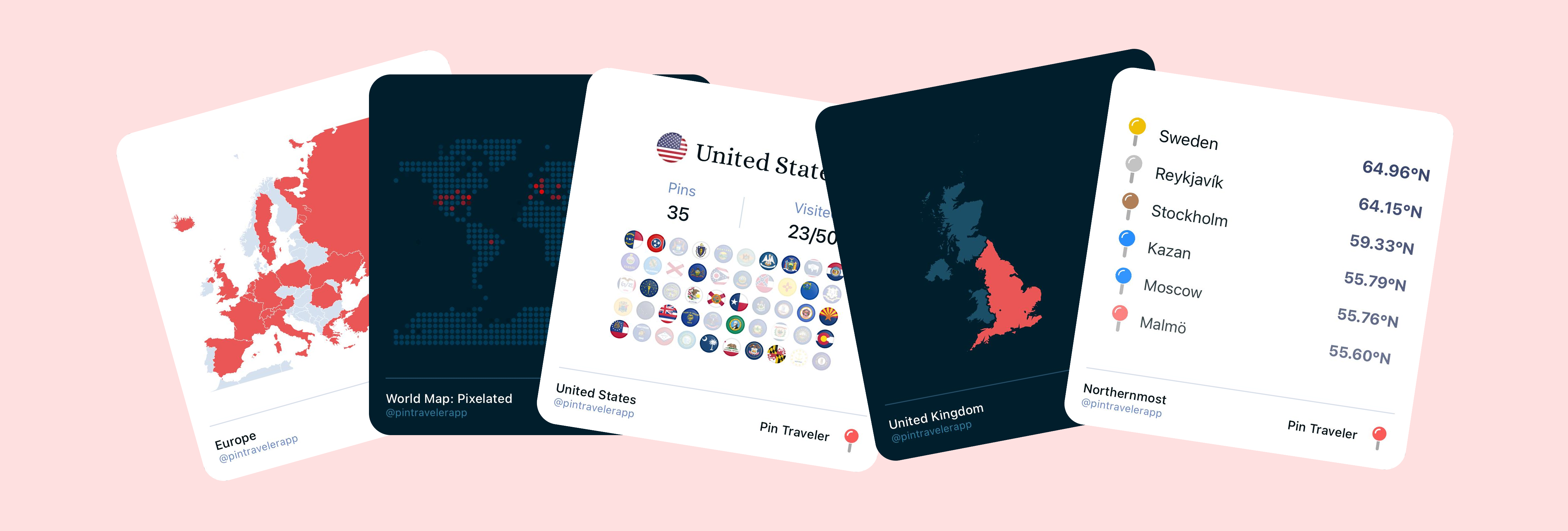
Okay, obviously we're biased here. But we built Pin Traveler to be the best travel map out there, and we think we've made that happen, at least for our target audience.
In my mind, Pin Traveler stands out as a purpose-built travel map app designed specifically for travelers who want to visualize and organize their journeys. It provides a way to look at your data from the lens of travel, and allows you to customize everything from adding custom pins, to changing pin photos, descriptions, and much more. We also provide a lot of different visualizations that you will not find anywhere else!
Key Features:
Best For: Travelers who want a dedicated, beautiful app focused solely on mapping and organizing their travels without the clutter of navigation or booking features.
Why It's Great: Pin Traveler's strength lies in its simplicity and focus. It doesn't try to be everything—it does one thing exceptionally well: helping you see and organize where you've been and where you want to go. The visual design is clean and modern, making your travel history come alive on your screen.
Flighty is a powerful flight tracking app that has become essential for frequent travelers and aviation enthusiasts. While it's primarily focused on flights, it offers impressive travel organization features. We honestly love this app, the only complaint is that it only does flights, and we don't have a way to see our roadtrips in the same app.
Key Features:
Best For: Frequent flyers and aviation enthusiasts who want detailed flight tracking alongside their travel planning, especially those who travel by air frequently.
Why It's Great: Flighty excels at what it does—making flight tracking seamless and informative. The automatic flight detection from email confirmations means you rarely have to manually input your trips. The visual flight paths on the world map help you see your air travel history at a glance. While it's flight-focused rather than general travel mapping, it's unbeatable for frequent flyers who want to track their aviation journeys.
Polarsteps is a travel journal app that automatically creates a beautiful travel map as you document your journey. It's designed for creating travel stories and visual journals. We love that it automatically tracks your location and creates entries for you, although the open-to-the-world-by-default approach scares us a little.
Key Features:
Best For: Travelers who want to create a visual travel journal and share their adventures in a story format, especially those on long-term trips or overland journeys.
Why It's Great: Polarsteps automatically tracks your route as you travel, making it perfect for overland trips and long journeys. The automatic GPS tracking means you don't have to manually mark locations—just travel and let the app do the work. The blog-style format makes it easy to document your journey with photos and stories, and the resulting map is visually striking. It's less about planning ahead and more about documenting your journey as it happens.
The ubiquitous navigation tool also serves as a travel map app for millions of users worldwide.
Key Features:
Best For: Travelers who need navigation features alongside place saving and want the most comprehensive place database available.
Why It's Good: Google Maps excels at navigation and has the most extensive place information. However, it can feel cluttered for pure travel tracking, and the Timeline feature, while useful, isn't as visually appealing as dedicated travel apps. Plus it's sharing-first, and does not feel personal at all.
While primarily known for reviews, TripAdvisor also offers trip planning and map features.
Key Features:
Best For: Travelers who heavily rely on reviews and ratings to plan their trips and want everything in one platform.
Why It's Useful: TripAdvisor is excellent for research, but its map features feel secondary to its review functionality. If you're looking for a beautiful travel visualization, this might not be your first choice.
Foursquare's evolution has kept it relevant in the travel space, especially for check-ins and discovery.
Key Features:
Best For: Travelers who enjoy checking in to places and want social features mixed with discovery.
Why It Exists: While Foursquare is useful for city exploration, it's less focused on long-term travel tracking and visualization than dedicated travel map apps.
A lesser-known Google tool that allows creating custom maps with pins and routes.
Key Features:
Best For: Power users who want complete control over their map customization and don't mind a more manual setup process.
Why It's Unique: My Maps offers flexibility but requires more effort to set up and maintain. It's better suited for creating detailed trip itineraries than casual travel tracking.
Are you a meticulous planner who wants everything organized before you leave? Or do you prefer a simple app to mark places as you discover them? Different apps cater to different approaches.
Do you need offline access for remote destinations? Is visual appeal important to you? Do you want to share your travels publicly or keep them private? Answering these questions will help narrow your choice.
If you use multiple devices (phone, tablet, laptop), consider how well each app works across your devices. Some apps offer better cross-platform experiences than others.
Some apps track your location more aggressively than others. If privacy matters to you, look for apps that let you control what data is collected and how it's used.
The "best" travel map app depends entirely on what you value most:
Travel map apps continue to evolve. In 2026, we're seeing more AI-powered recommendations, better offline capabilities, and improved visualization tools. The best app for you is one that fits your workflow and makes you excited to plan and remember your travels.
Your travel map app becomes a personal journal of your adventures. Whether you've visited 5 countries or 50, having a beautiful visualization of your travels is both practical and inspiring. The best app is the one you'll actually use consistently—so choose based on what feels most intuitive to you.
What travel map app do you use? We'd love to hear about your experiences and what features matter most to you in planning and tracking your adventures around the world.
Tracking your trips might sound like extra work, but it pays off in ways you wouldn't expect. Here are three genuine perks of keeping a digital record of everywhere you've been.
2026-03-30

Six countries actively recruiting remote workers in 2026, with verified income thresholds — plus the day-counting rules that decide whether the visa actually works for you.
2026-08-03
After years of traveling, these are the apps that have become absolutely essential to our journeys. From planning and navigation to communication and payments, here are the must-have apps for modern travelers.
2026-01-20